> For the complete documentation index, see [llms.txt](https://vesta-guide.gitbook.io/vesta-guide/llms.txt). Markdown versions of documentation pages are available by appending `.md` to page URLs; this page is available as [Markdown](https://vesta-guide.gitbook.io/vesta-guide/svenska/vesta-396.md).

# VESTA-396

Snabbstart Mobile Lite VESTA-338

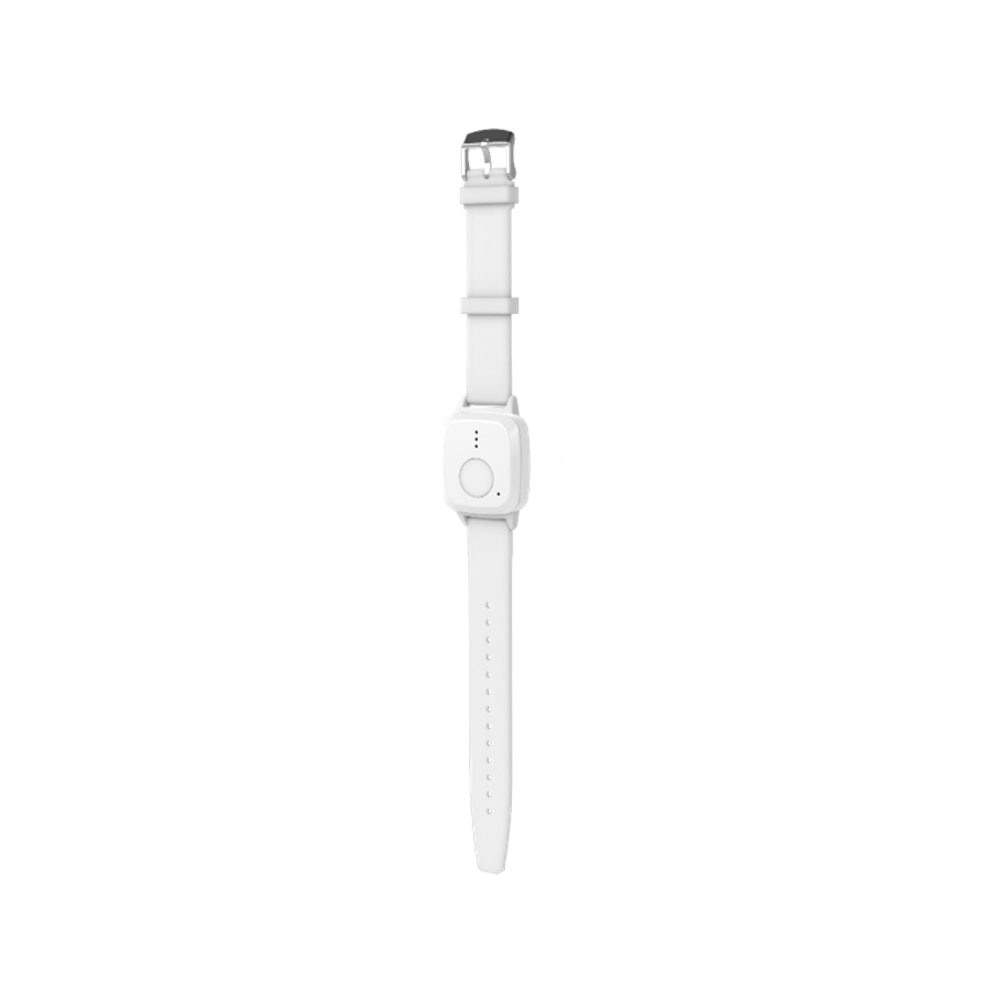
<figure><img src="https://bydemes.com/ByDemesFiles/images/VESTA-396.jpg" alt="" width="375"><figcaption><p>VESTA-396</p></figcaption></figure>

**STEG 1: Aktivering av SIM och APN-konfiguration:**

Enheten **inkluderar** ett SIM-kort från simalarm.eu APN är: **internet.csliot.com**

1. **SIM-aktivering:**
   * Gå till simalarm SIM-aktiveringsplanen på följande länk: [SIM-plan ](https://www.simalarm.eu/es/generic-5-mb-20-sms-5voice-general-clone-en/)**.**
   * Följ [instruktionerna](https://vesta-guide.gitbook.io/vesta-guide/third-parties/simalarm) för att aktivera SIM-kortet som är inbyggt i Mobile Lite VESTA-338-enheten.
2. **APN-inställningar:**
   * Om enheten inte har APN förkonfigurerat, skicka ett SMS till enheten med följande format:

     Kopiera

     ```
     APN:PROG,1111,apn,usuario,contraseña
     ```

     * `apn`= Din operatørs APN.
     * `usuario`= Användaren (Om du inte har en användare, lämna tomt).
     * `contraseña`= Lösenordet (Om du inte har något lösenord, lämna det tomt).
   * Om du inte har användarnamn och lösenord, använd:

     Kopiera

     ```
     APN:PROG,1111,apn,,
     ```

**Ytterligare exempel på SMS-konfiguration:**

1. **ARC-konfiguration:**

   ```
   RPT:PROG,1111,1,abonado@ip:puerto,1,21,0,255
   ```
2. **Skicka plats via SMS:**

   ```
   RPT:PROG,1111,2,00351967641619,2,31,0,255
   ```
3. **Samtal till slutanvändaren:**

   ```
   RPT:PROG,1111,3,00351967641619,3,0,0,4
   ```

**STEG 2: Registrera enheten i MedAlert:**

* Efter att ha ställt in APN, vänta **5 minuter** för att enheten ska ansluta till molnet framgångsrikt.
* Fortsätt med att registrera enheten som installatör i MedAlert via **WEBBEN** eller **APPEN** .

<figure><img src="https://vesta-guide.gitbook.io/~gitbook/image?url=https%3A%2F%2F4073699981-files.gitbook.io%2F%7E%2Ffiles%2Fv0%2Fb%2Fgitbook-x-prod.appspot.com%2Fo%2Fspaces%252FnyRwTrjZZiTU2rxbXeIk%252Fuploads%252FNpmPo410FNF3Go3Vac2D%252Fimage.png%3Falt%3Dmedia%26token%3Dd003b23a-35ca-4d39-93c4-825a9064e81a&#x26;width=768&#x26;dpr=4&#x26;quality=100&#x26;sign=1e36a743&#x26;sv=2" alt=""><figcaption><p><a href="https://smarthomesec.bydemes.com/medalert/">https://smarthomesec.bydemes.com/medalert/</a></p></figcaption></figure>

1. Logga in som installatör och välj + knappen för att lägga till Mobile lite-panelen:

<figure><img src="https://vesta-guide.gitbook.io/~gitbook/image?url=https%3A%2F%2F4073699981-files.gitbook.io%2F%7E%2Ffiles%2Fv0%2Fb%2Fgitbook-x-prod.appspot.com%2Fo%2Fspaces%252FnyRwTrjZZiTU2rxbXeIk%252Fuploads%252FJhr3BrWiRQe3FWBStgta%252Fimage.png%3Falt%3Dmedia%26token%3D7bd4b4f6-1b8c-4715-9a20-88d95086bb13&#x26;width=768&#x26;dpr=4&#x26;quality=100&#x26;sign=72ff00a&#x26;sv=2" alt=""><figcaption></figcaption></figure>

1. Välj Mobile lite:

<figure><img src="https://vesta-guide.gitbook.io/~gitbook/image?url=https%3A%2F%2F4073699981-files.gitbook.io%2F%7E%2Ffiles%2Fv0%2Fb%2Fgitbook-x-prod.appspot.com%2Fo%2Fspaces%252FnyRwTrjZZiTU2rxbXeIk%252Fuploads%252FUOj4E5QLbD7Ondk1hbrD%252Fimage.png%3Falt%3Dmedia%26token%3D527d080c-0ae9-4e33-8279-796fec03626b&#x26;width=768&#x26;dpr=4&#x26;quality=100&#x26;sign=e18363f7&#x26;sv=2" alt=""><figcaption></figcaption></figure>

1. Fyll i informationen för att lägga till panelen:

<figure><img src="https://vesta-guide.gitbook.io/~gitbook/image?url=https%3A%2F%2F4073699981-files.gitbook.io%2F%7E%2Ffiles%2Fv0%2Fb%2Fgitbook-x-prod.appspot.com%2Fo%2Fspaces%252FnyRwTrjZZiTU2rxbXeIk%252Fuploads%252F3WnFzLMxExsaRWK9WMbS%252Fimage.png%3Falt%3Dmedia%26token%3D89bee8b0-ba39-48bb-bf3a-1dbbdaedd692&#x26;width=768&#x26;dpr=4&#x26;quality=100&#x26;sign=2fa98716&#x26;sv=2" alt=""><figcaption></figcaption></figure>

**IMEI** : Enhetens IMEI-adress (Den finns på sidan eller baksidan av Mobile lite)

**Enhetsnamn**

**Mobiltelefon:** MYCKET VIKTIGT! Det måste vara telefonnumret till det SIM som är insatt i Mobile lite; i fallet med SIMALARM SIM medföljer det på den blå/vita kortet

När enheten är registrerad kan den konfigureras från MedAlert

### **Beräknad batteritid baserat på konfiguration**

Följande uppskattningar ger en allmän vägledning för batteritid från full laddning (100%) till tömning (0%), baserat på olika konfigurationer:

* **Konfiguration för låg användning**: Upp till 2 dagar
* **Konfiguration för måttlig användning**: Ungefär 24h
* **Konfiguration för hög användning**: Cirka 8h

<figure><img src="/files/3a87994125166bab152cc773e8c3747fa7af012e" alt=""><figcaption></figcaption></figure>

Observera att dessa värden är ungefärliga och att faktisk batteritid kan variera beroende på faktorer som nätverkssignalstyrka, frekvens av larm, omgivningstemperatur och andra miljöförhållanden.

---

# Agent Instructions
This documentation is published with GitBook. GitBook is the documentation platform designed so that both humans and AI agents can read, navigate, and reason over technical content effectively. Learn more at gitbook.com.

## Querying This Documentation
If you need additional information that is not directly available in this page, you can query the documentation dynamically by asking a question.

Perform an HTTP GET request on the current page URL with the `ask` query parameter, and the optional `goal` query parameter:

```
GET https://vesta-guide.gitbook.io/vesta-guide/svenska/vesta-396.md?ask=<question>&goal=<endgoal>
```

`ask` is the immediate question: it should be specific, self-contained, and written in natural language.
`goal` is optional and describes the broader end goal you are ultimately trying to accomplish on behalf of the user. GitBook uses it to tailor the answer towards what is most useful for that goal.

The response will contain a direct answer to the question and relevant excerpts and sources from the documentation.

Use this mechanism when the answer is not explicitly present in the current page, you need clarification or additional context, or you want to retrieve related documentation sections.
