> For the complete documentation index, see [llms.txt](https://vesta-guide.gitbook.io/vesta-guide/llms.txt). Markdown versions of documentation pages are available by appending `.md` to page URLs; this page is available as [Markdown](https://vesta-guide.gitbook.io/vesta-guide/danish-dk/vesta-396.md).

# VESTA-396

Hurtigstart Mobile Lite VESTA-338

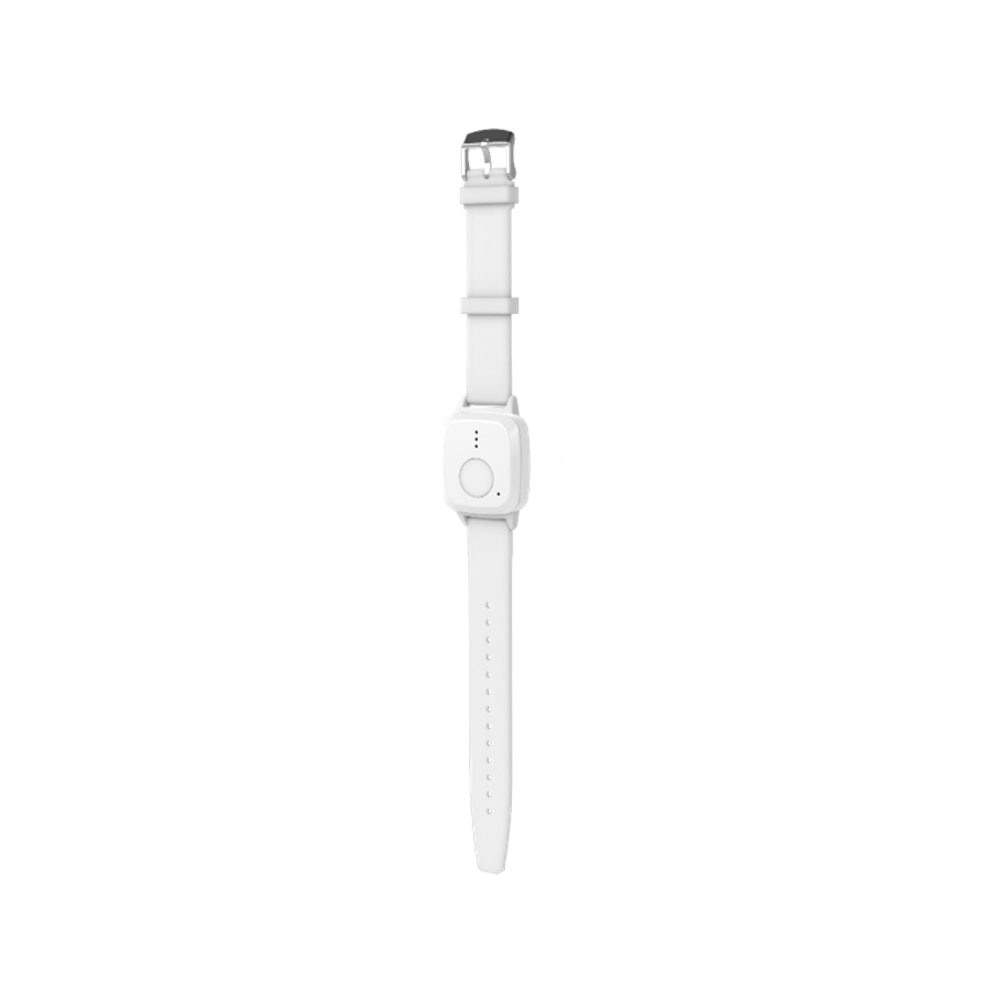
<figure><img src="https://bydemes.com/ByDemesFiles/images/VESTA-396.jpg" alt="" width="375"><figcaption><p>VESTA-396</p></figcaption></figure>

**TRIN 1: SIM-aktivering og APN-konfiguration:**

Enheden **inkluderer** et SIM-kort fra simalarm.eu APN'en er: **internet.csliot.com**

1. **SIM-aktivering:**
   * Få adgang til simalarm SIM-aktiveringsplanen via følgende link: [SIM-plan ](https://www.simalarm.eu/es/generic-5-mb-20-sms-5voice-general-clone-en/)**.**
   * Følg [instruktionerne](https://vesta-guide.gitbook.io/vesta-guide/third-parties/simalarm) for at aktivere det SIM, der er indlejret i Mobile Lite VESTA-338-enheden.
2. **APN-indstillinger:**
   * Hvis enheden ikke har APN forudkonfigureret, send en SMS til enheden i følgende format:

     Kopiér

     ```
     APN:PROG,1111,apn,usuario,contraseña
     ```

     * `apn`= Din operatørs APN.
     * `usuario`= Brugeren (Hvis du ikke har en bruger, lad feltet være tomt).
     * `contraseña`= Adgangskoden (Hvis du ikke har en adgangskode, lad den være tom).
   * Hvis du ikke har brugernavn og adgangskode, brug:

     Kopiér

     ```
     APN:PROG,1111,apn,,
     ```

**Yderligere SMS-konfigurationseksempler:**

1. **ARC-konfiguration:**

   ```
   RPT:PROG,1111,1,abonado@ip:puerto,1,21,0,255
   ```
2. **Afsendelse af position via SMS:**

   ```
   RPT:PROG,1111,2,00351967641619,2,31,0,255
   ```
3. **Opkald til slutkunden:**

   ```
   RPT:PROG,1111,3,00351967641619,3,0,0,4
   ```

**TRIN 2: Registrering af enheden i MedAlert:**

* Efter indstilling af APN, vent venligst **5 minutter** for at enheden kan oprette forbindelse til cloud'en.
* Fortsæt med at registrere enheden som installatør i MedAlert via **WEB** eller **APP** .

<figure><img src="https://vesta-guide.gitbook.io/~gitbook/image?url=https%3A%2F%2F4073699981-files.gitbook.io%2F%7E%2Ffiles%2Fv0%2Fb%2Fgitbook-x-prod.appspot.com%2Fo%2Fspaces%252FnyRwTrjZZiTU2rxbXeIk%252Fuploads%252FNpmPo410FNF3Go3Vac2D%252Fimage.png%3Falt%3Dmedia%26token%3Dd003b23a-35ca-4d39-93c4-825a9064e81a&#x26;width=768&#x26;dpr=4&#x26;quality=100&#x26;sign=1e36a743&#x26;sv=2" alt=""><figcaption><p><a href="https://smarthomesec.bydemes.com/medalert/">https://smarthomesec.bydemes.com/medalert/</a></p></figcaption></figure>

1. Log ind som installatør og vælg + knappen for at tilføje Mobile lite-panelet:

<figure><img src="https://vesta-guide.gitbook.io/~gitbook/image?url=https%3A%2F%2F4073699981-files.gitbook.io%2F%7E%2Ffiles%2Fv0%2Fb%2Fgitbook-x-prod.appspot.com%2Fo%2Fspaces%252FnyRwTrjZZiTU2rxbXeIk%252Fuploads%252FJhr3BrWiRQe3FWBStgta%252Fimage.png%3Falt%3Dmedia%26token%3D7bd4b4f6-1b8c-4715-9a20-88d95086bb13&#x26;width=768&#x26;dpr=4&#x26;quality=100&#x26;sign=72ff00a&#x26;sv=2" alt=""><figcaption></figcaption></figure>

1. Vælg Mobile lite:

<figure><img src="https://vesta-guide.gitbook.io/~gitbook/image?url=https%3A%2F%2F4073699981-files.gitbook.io%2F%7E%2Ffiles%2Fv0%2Fb%2Fgitbook-x-prod.appspot.com%2Fo%2Fspaces%252FnyRwTrjZZiTU2rxbXeIk%252Fuploads%252FUOj4E5QLbD7Ondk1hbrD%252Fimage.png%3Falt%3Dmedia%26token%3D527d080c-0ae9-4e33-8279-796fec03626b&#x26;width=768&#x26;dpr=4&#x26;quality=100&#x26;sign=e18363f7&#x26;sv=2" alt=""><figcaption></figcaption></figure>

1. Udfyld oplysningerne for at tilføje panelet:

<figure><img src="https://vesta-guide.gitbook.io/~gitbook/image?url=https%3A%2F%2F4073699981-files.gitbook.io%2F%7E%2Ffiles%2Fv0%2Fb%2Fgitbook-x-prod.appspot.com%2Fo%2Fspaces%252FnyRwTrjZZiTU2rxbXeIk%252Fuploads%252F3WnFzLMxExsaRWK9WMbS%252Fimage.png%3Falt%3Dmedia%26token%3D89bee8b0-ba39-48bb-bf3a-1dbbdaedd692&#x26;width=768&#x26;dpr=4&#x26;quality=100&#x26;sign=2fa98716&#x26;sv=2" alt=""><figcaption></figcaption></figure>

**IMEI** : Enhedens IMEI-adresse (Den findes på siden eller bagsiden af Mobile lite)

**Enhedsnavn**

**Mobiltelefon:** MEGET VIGTIGT! Det skal være telefonnummeret på det SIM, der er indsat i Mobile lite; i tilfælde af SIMALARM SIM følger det med på det blå/hvide kort

Når enheden er registreret, kan den konfigureres fra MedAlert

### **Anslået batterilevetid baseret på konfiguration**

Følgende estimater giver en generel vejledning om batterilevetid fra fuld opladning (100%) til afladning (0%) baseret på forskellige konfigurationer:

* **Lavt forbrugsopstilling**: Op til 2 dage
* **Middel forbrugsopstilling**: Ca. 24 timer
* **Højt forbrugsopstilling**: Ca. 8 timer

<figure><img src="/files/900ff13c38e6dc63420a6b2f24b3d69a27c44b58" alt=""><figcaption></figcaption></figure>

Bemærk venligst, at disse værdier er omtrentlige, og den faktiske batterilevetid kan variere på grund af faktorer som netværksstyrke, hyppighed af alarmer, omgivelsestemperatur og andre miljøforhold.

---

# Agent Instructions
This documentation is published with GitBook. GitBook is the documentation platform designed so that both humans and AI agents can read, navigate, and reason over technical content effectively. Learn more at gitbook.com.

## Querying This Documentation
If you need additional information that is not directly available in this page, you can query the documentation dynamically by asking a question.

Perform an HTTP GET request on the current page URL with the `ask` query parameter, and the optional `goal` query parameter:

```
GET https://vesta-guide.gitbook.io/vesta-guide/danish-dk/vesta-396.md?ask=<question>&goal=<endgoal>
```

`ask` is the immediate question: it should be specific, self-contained, and written in natural language.
`goal` is optional and describes the broader end goal you are ultimately trying to accomplish on behalf of the user. GitBook uses it to tailor the answer towards what is most useful for that goal.

The response will contain a direct answer to the question and relevant excerpts and sources from the documentation.

Use this mechanism when the answer is not explicitly present in the current page, you need clarification or additional context, or you want to retrieve related documentation sections.
